Keyring Vault
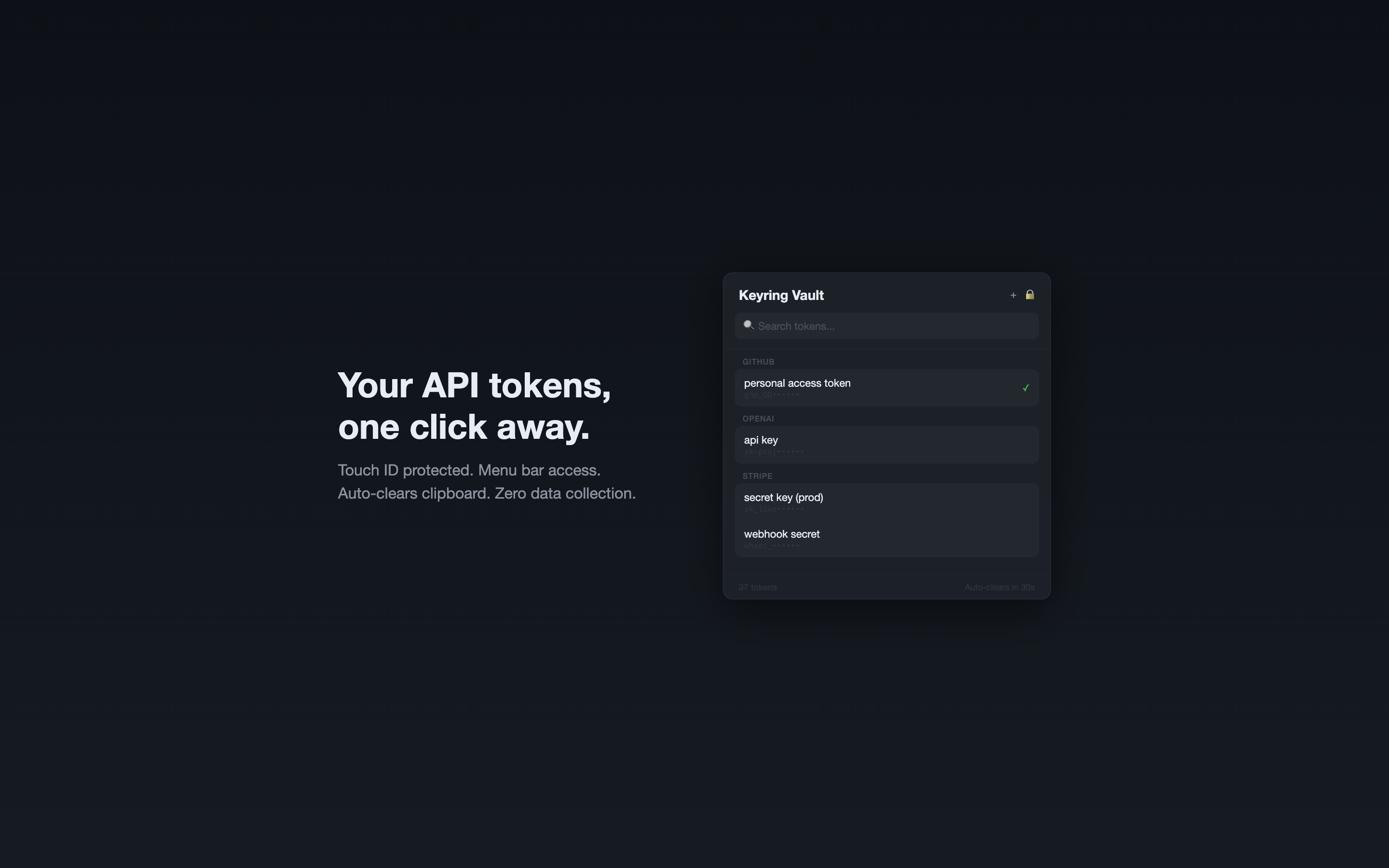
Your API tokens and secrets, one click away. Touch ID protected, menu bar access, zero data collection.
Features
- Menu bar access — your tokens are always one click away. No windows, no dock icon.
- Touch ID — unlock with your fingerprint or system password. Every time.
- Instant search — filter across all projects and tokens as you type.
- One-click copy — click any token to copy. Clipboard auto-clears after 30 seconds.
- Add, edit, delete — manage tokens directly from the app. Right-click for context menu.
- Grouped by project — organized the way you work. GitHub, Stripe, OpenAI, all separate.
- Import from CLI — already use the tokenvault CLI? Import your encrypted vault in one click.
- Zero data collection — everything stays in your Mac's Keychain. No analytics, no tracking.
- No network access — works entirely offline. Nothing leaves your machine.
Security
All tokens are stored in macOS Keychain, protected by the operating system. Keyring Vault never transmits data over the network. Touch ID or system password is required every time you open the vault.
FAQ
How is this different from 1Password?
Keyring Vault is purpose-built for API tokens and developer secrets. No subscription, no cloud sync, no account needed. $4.99 one-time purchase. Everything stays on your Mac.
Where are my tokens stored?
In macOS Keychain — the same system Apple uses to store your passwords. Encrypted by the operating system, sandboxed, and never accessible to other apps.
Can I use it without Touch ID?
Yes. If your Mac doesn't have Touch ID, it falls back to your system password.
Does it work with the tokenvault CLI?
You can import from an existing tokenvault CLI encrypted vault. After import, the app uses Keychain storage independently.
Does it send any data anywhere?
No. Zero network requests. No analytics, no telemetry, no crash reporting. Check the privacy policy.
What macOS versions are supported?
macOS 15 (Sequoia) or later.